
Alongside the slew of existing browsers available for Mac OS X (see Mac Browser Roundup – Ed.) is a
relative newcomer, developed from the ground up to take advantage of the
new Operating System. Its name? Omniweb.
But how does Omniweb fare when it comes to web standards? Earlier versions, while highly praised for an elegant user interface and strong support of
international character sets, fell drastically short in CSS and W3C DOM support.
According to Omnigroup’s FAQ:
Currently, OmniWeb has an implementation of DOM level 0. With our next
major release, version 4.1, we’re going to tighten up that support a bit
– we want to have support equivalent to that which was in Netscape 4.5
for Mac. When we release OmniWeb 5.0 at some point next year, we plan to
have everything up to DOM level 2 fully supported.
Released this week, version 4.1b1 promises:
- Much-improved JavaScript and DOM support, using new “SpiderMonkey” JavaScript runtime from Mozilla.
- Numerous HTML/CSS compatibility improvements.
Let’s put this baby through its paces and see if it lives up to the
developers’ claims.
Testing#section2
As a comparison, I tested Omniweb 4.1b1 and Mozilla 0.9.7 side
by side, using the test suite that comes with Mozilla. I started with
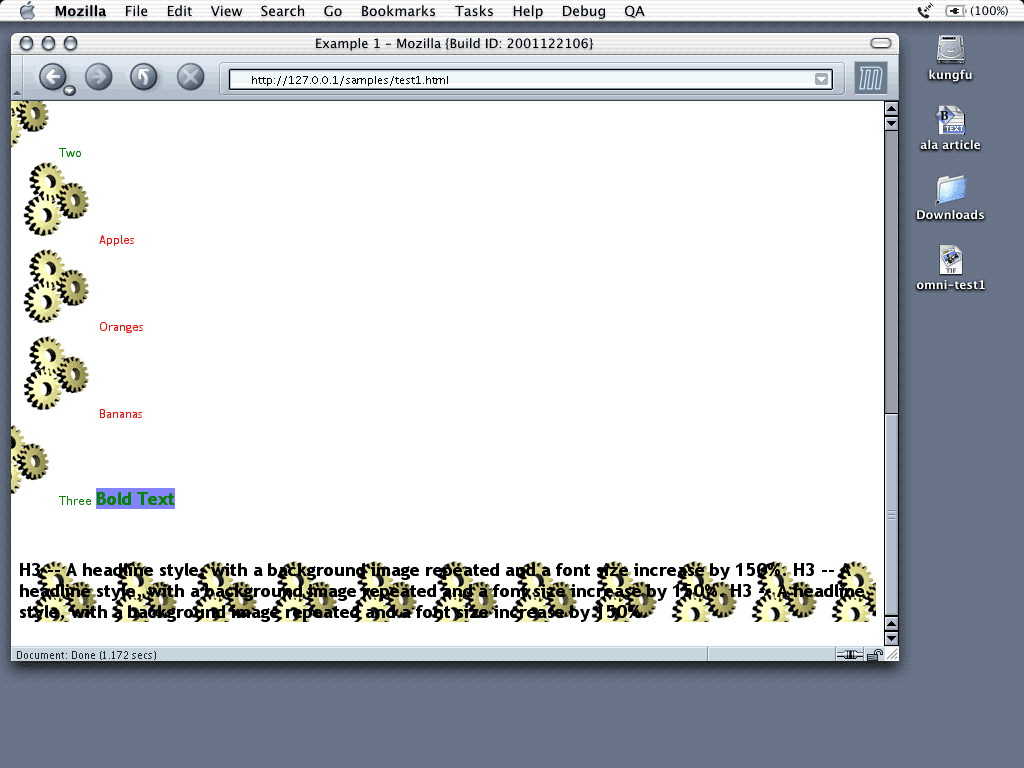
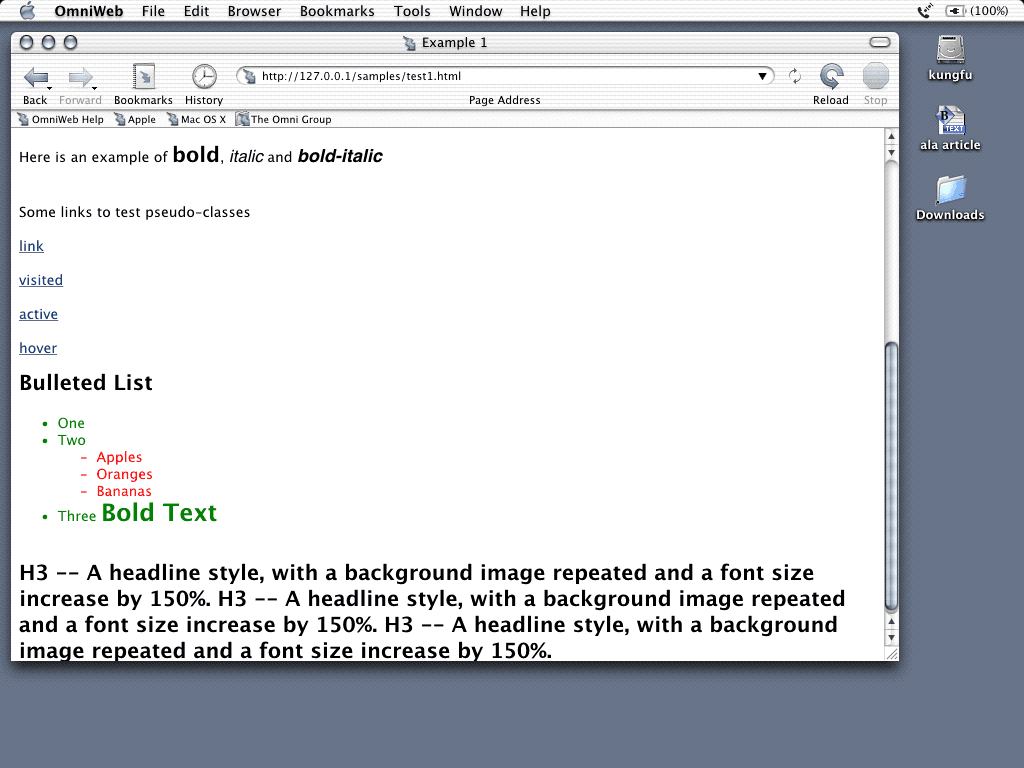
the very basic “CSS HTML Text Styles” test, which lays out text with a very simple Style Sheet applied.
As you can see, Mozilla renders perfectly, but Omniweb falls over. Per the
Style Sheet, bold and bold–italic items on the page are meant to have a solid background colour; they don’t. The bullet list items and H3 tags
are meant to have a background image; they don’t. Not a good start, is
it?
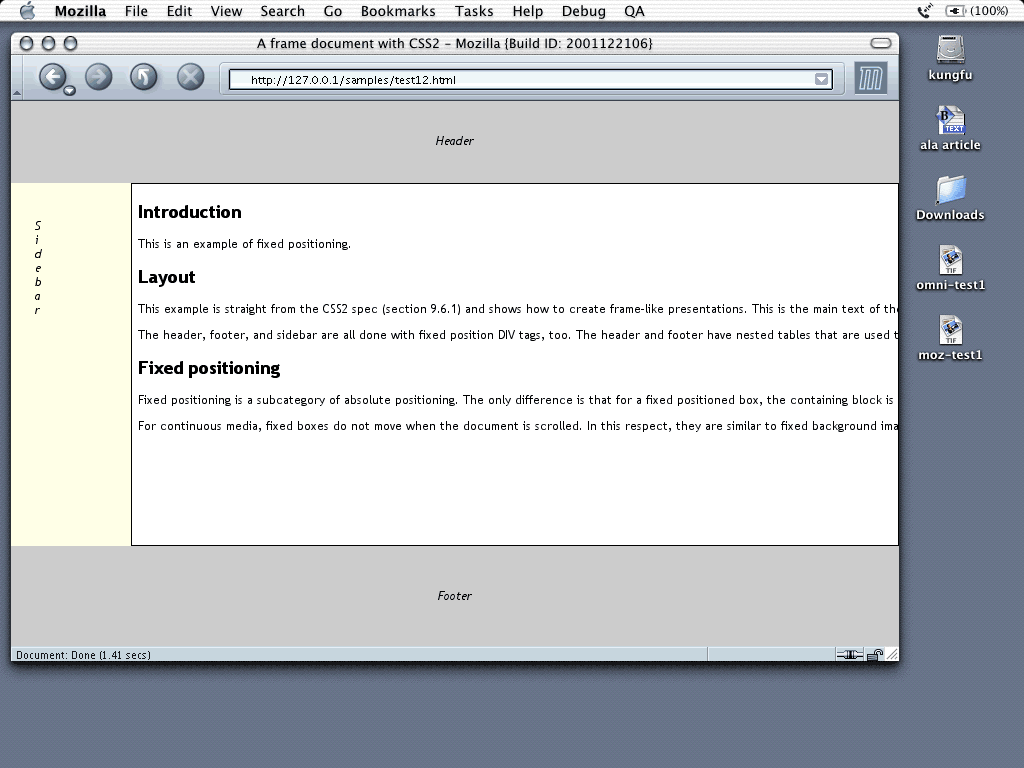
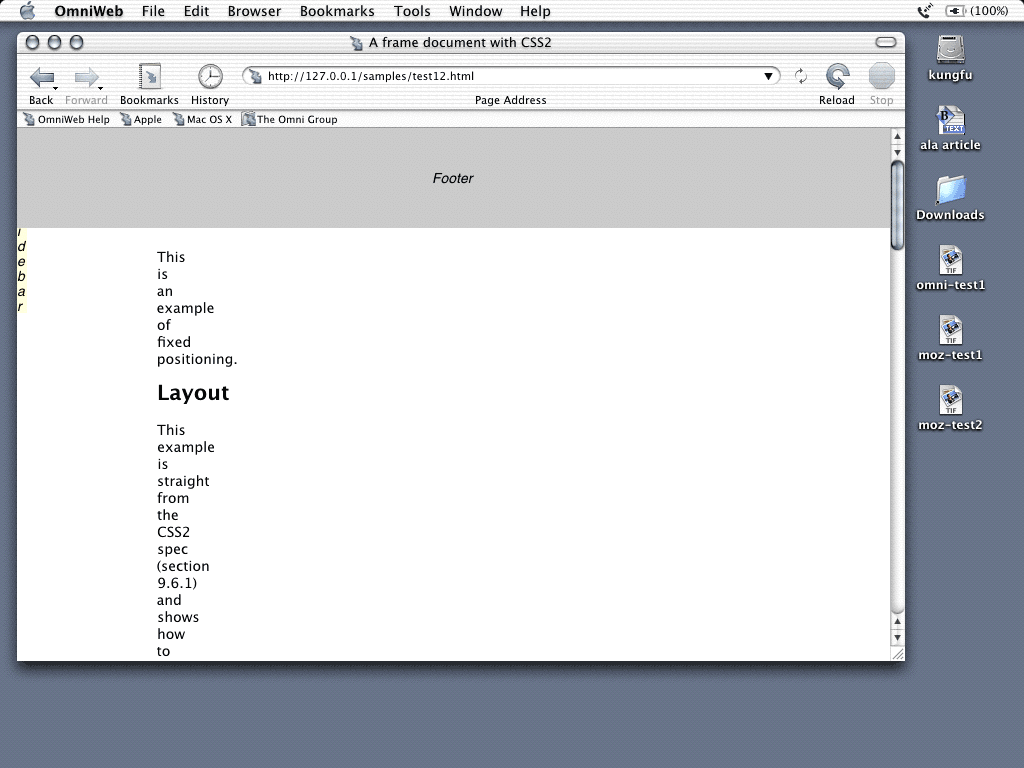
The second relevant test involves CSS 2’s fixed positioning, mimicking a
framed layout with a header, footer, and a split area for content and
vertical navigation in a sidebar.
Mozilla works. In Omniweb, the footer is at the top of the screen, and
the header is nowhere to be seen. The content flows beneath the footer
in a single narrow column, and the sidebar has no background colour.
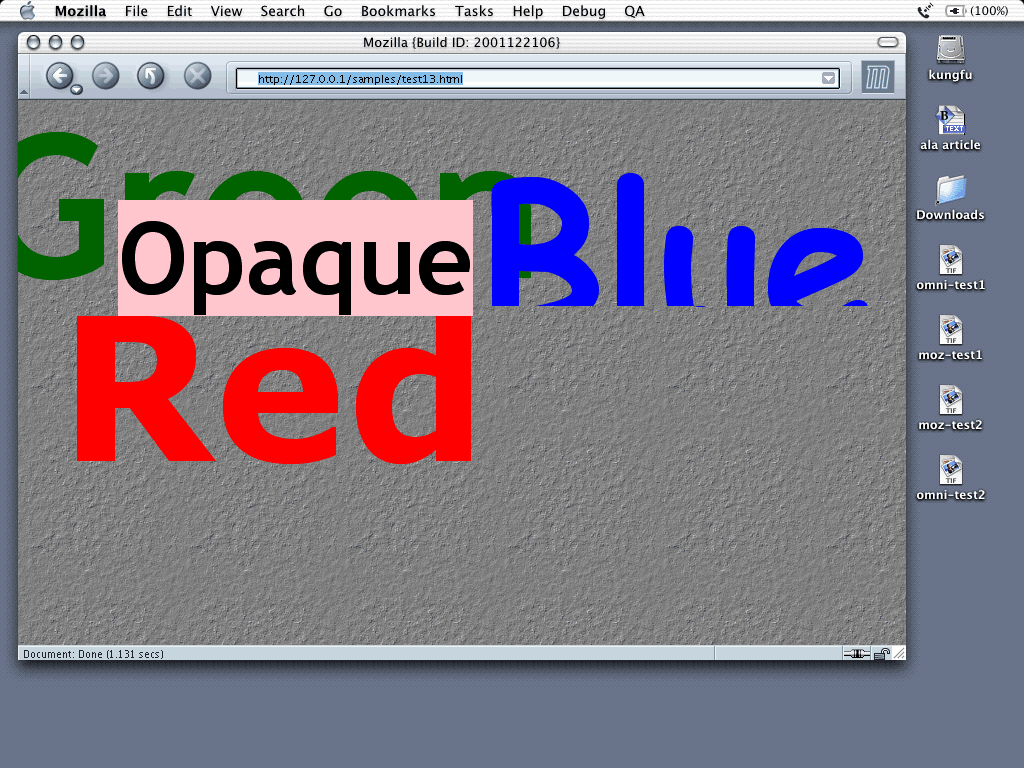
The third test makes use of the DOM and CSS to create three pieces of
text, “Red,” “Green,” and “Blue,” that bounce around on the screen in their relevant colours behind a block of opaque text labelled, funnily enough, “Opaque.”
Mozilla? Look at those suckers bounce! But again, Omniweb doesn’t quite
cut the mustard; in fact, only the “Green” text showed up, and it wasn’t moving. And most bizarre of all, the “Opaque” text showed up in a strange font.
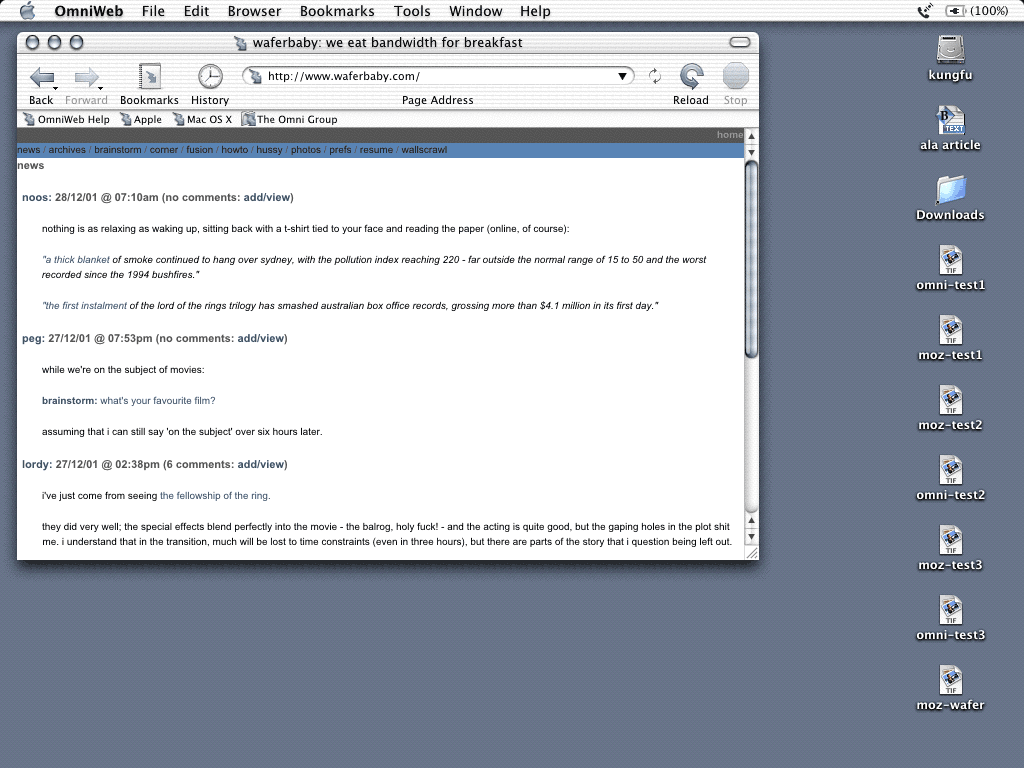
Finally, for a real–world example, let’s see how the two browsers
render my own site (of course).
Mozilla shows the site as I expect it to look: centered on screen in a
single column. Omniweb has it 100% across the screen, regardless of my
DIV’s fixed width, and it fails to honour my link states for a:hover and
a:active. The antialiased text looks nice, though.
Summary#section3
Omniweb has great promise; further, its support of Unicode and international
character sets is unparalleled (only Mozilla comes close). However,
Omniweb has a long way to go before it can live up to its developers’ claims to any sort of useful or meaningful CSS and DOM support. As a Mac OS X user, I am excited by its potential and look forward to the day when I
can use Omniweb on a daily basis.



No Comments
Got something to say?
We have turned off comments, but you can see what folks had to say before we did so.
More from ALA
Design for Amiability: Lessons from Vienna
Design Dialects: Breaking the Rules, Not the System
An Holistic Framework for Shared Design Leadership
From Beta to Bedrock: Build Products that Stick.
User Research Is Storytelling